Training, engineered
One session,
chosen for today
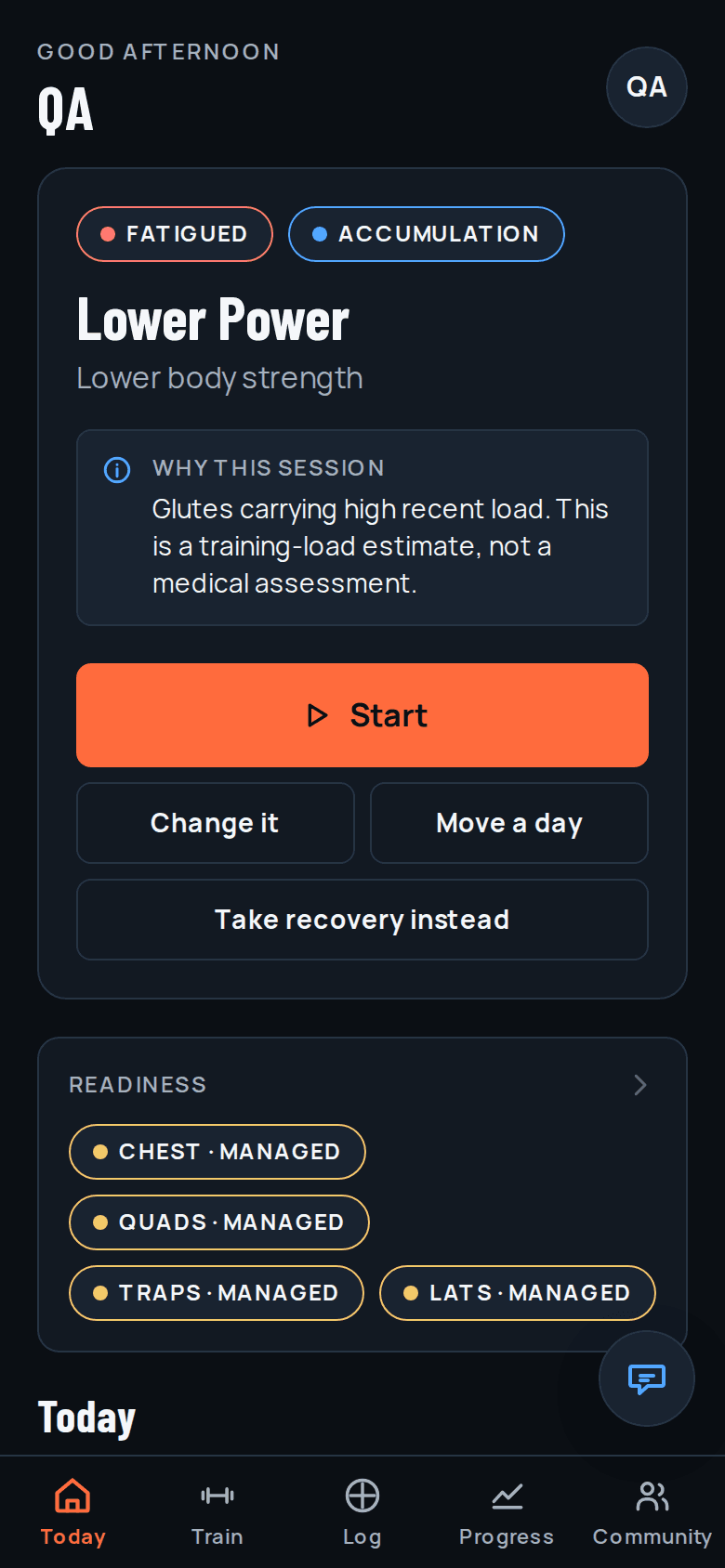
FitForge reads what you actually lifted and how much load each muscle group is still carrying, then puts a single next workout on your screen — and tells you why it picked that one.
Free to start, no card required. Works in any browser; the iPhone app is on the way.
Readiness
It tells you why, not just what
Most apps hand you a plan and leave you to guess whether today is the day to push. FitForge scores each muscle group from your own logged sets and labels it, so a heavy lower day gets moved when your glutes are still carrying the last one.
- Recovered
- Ready
- Managed
- Fatigued
- Protect
These are training-load estimates built from your own logs — not a medical assessment. FitForge says so on screen, every time it shows you one.
The whole app
Everything one thumb away
Today
One next action, nothing else competing for it. Start the session, change it, move it a day, or take recovery instead.
Train
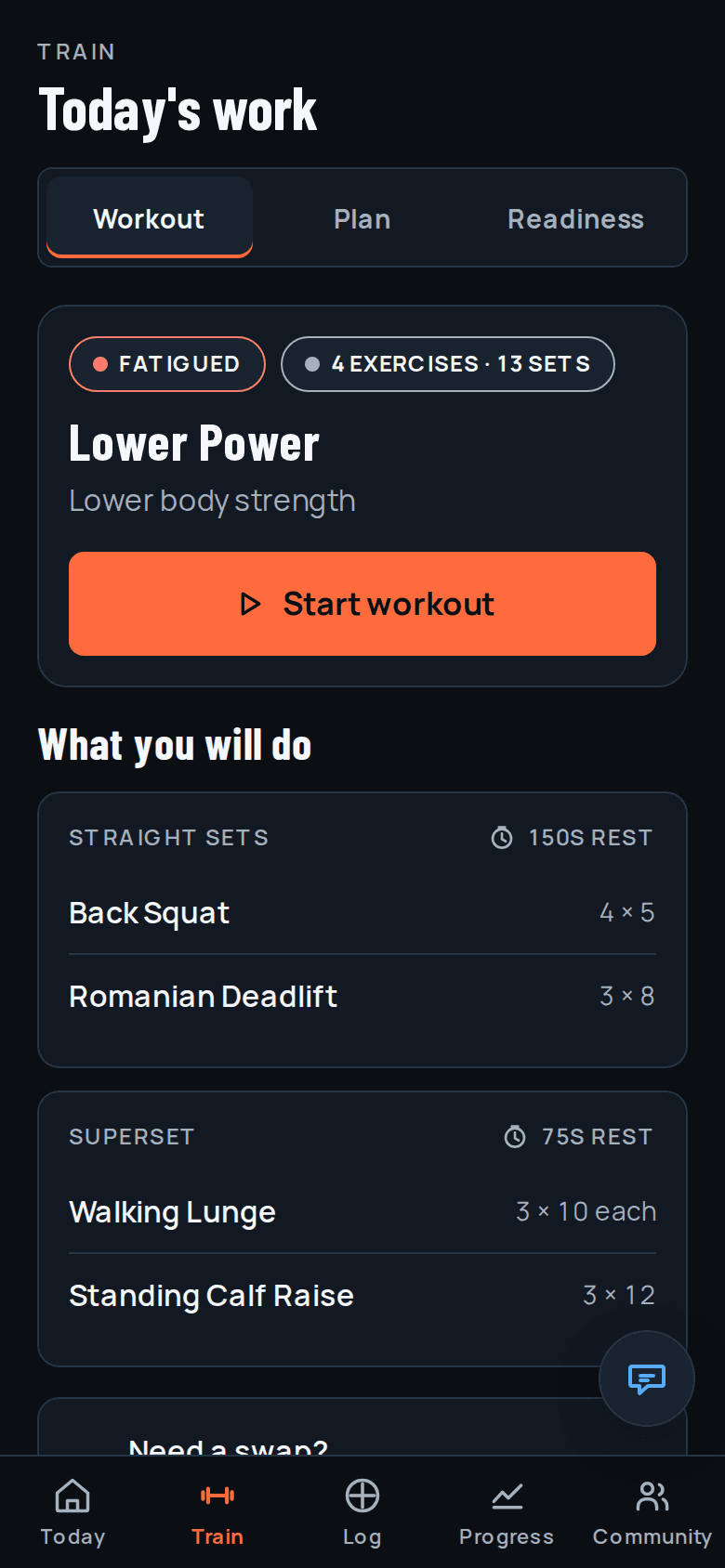
The session broken into blocks — straight sets and supersets, with prescribed reps and rest. Swap an exercise when the rack is taken.
Log
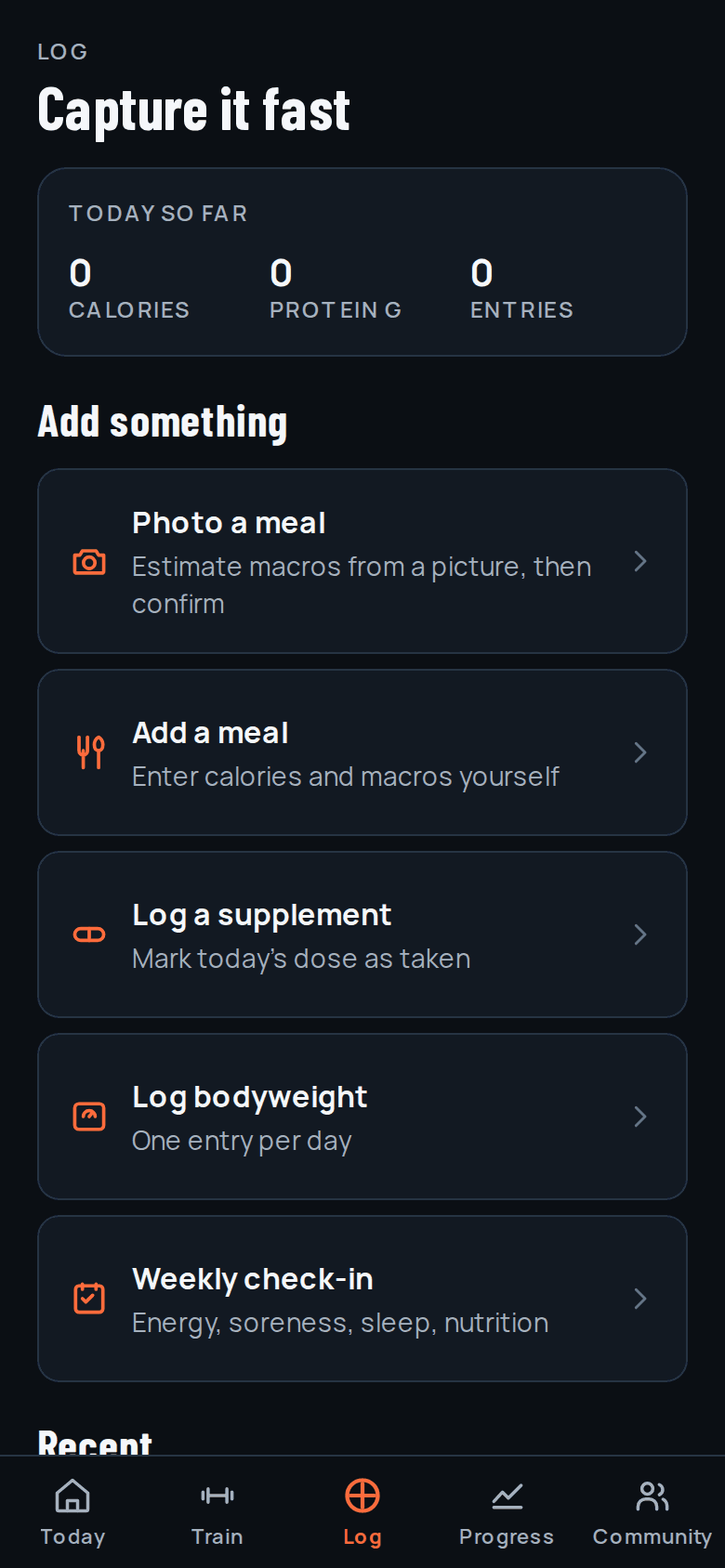
Photograph a meal for an estimate you confirm, or enter the macros yourself. Supplements, bodyweight, and a weekly check-in.
Progress
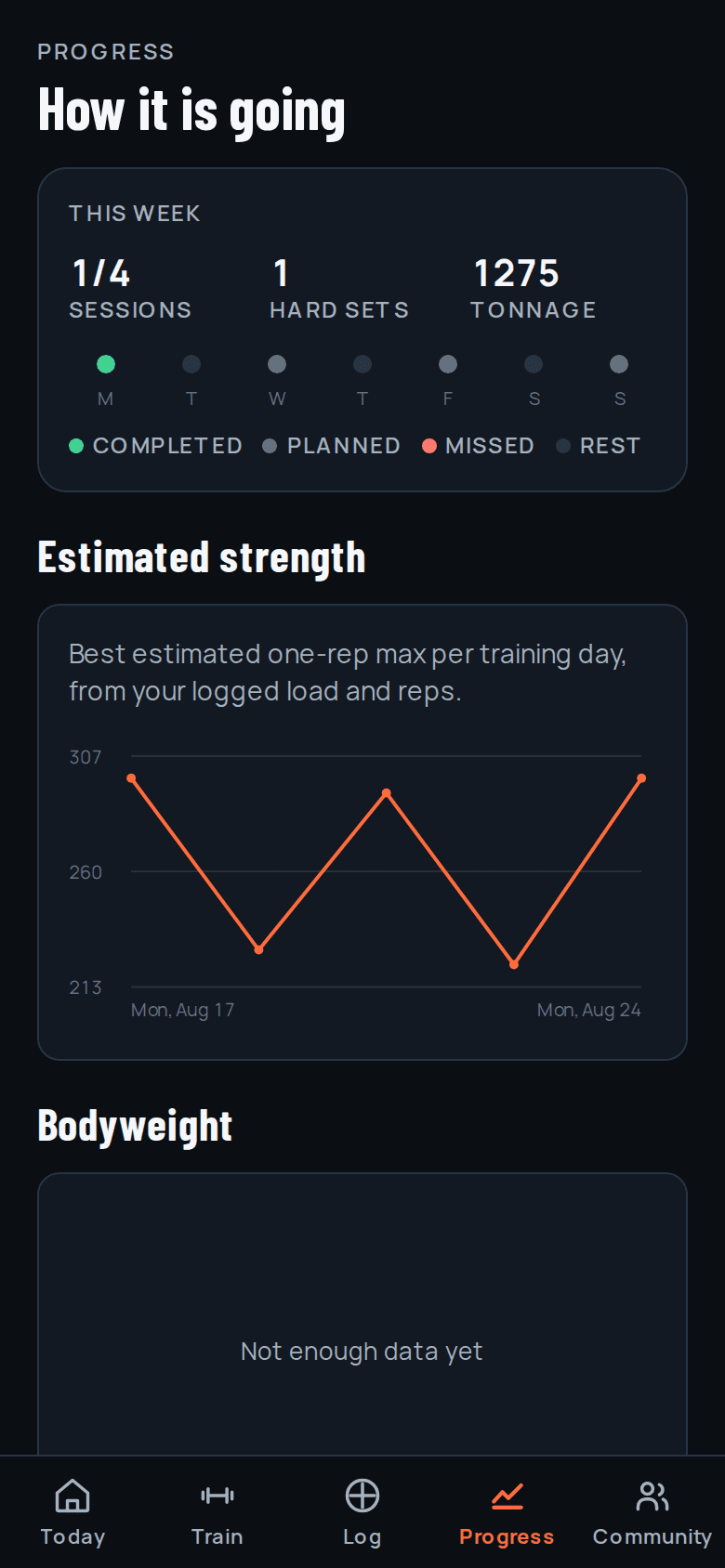
Sessions completed, hard sets, tonnage, estimated one-rep max per training day, and bodyweight over time.
Community
A small circle you join with a share code. No global feed and no follower counts. Report and block are one tap.
Coach
A question box on every screen. Ask about a swap, a sticking point, or how hard to go, and get a short, specific answer that knows your profile and goals.
Real screens
Nothing here is a mockup
Every screenshot on this page is captured straight out of the running app.
What it is not
The quiet fitness app
No public feed
Community is opt-in and joined by a code you hand out yourself. There is nothing to scroll and no one to compare yourself to.
Meal photos are not kept
A photo goes to our AI provider to estimate the numbers. Only the numbers you confirm are saved to your account — the image is not stored.
No ads, no data brokers
No advertising, no tracking across other apps, and your data is never sold or shared with advertisers or data brokers.
Delete it all from the app
Account deletion is in your profile. It removes your profile and your training history — no email to support required.
The full detail is in the privacy policy.
Start with today's session
Answer a few questions about your training and FitForge builds the first week. You can change any of it.